
Family Tree Maker Free
Free online family tree maker that auto-arranges your ancestry into a beautiful chart. Export to PNG/JPG instantly.
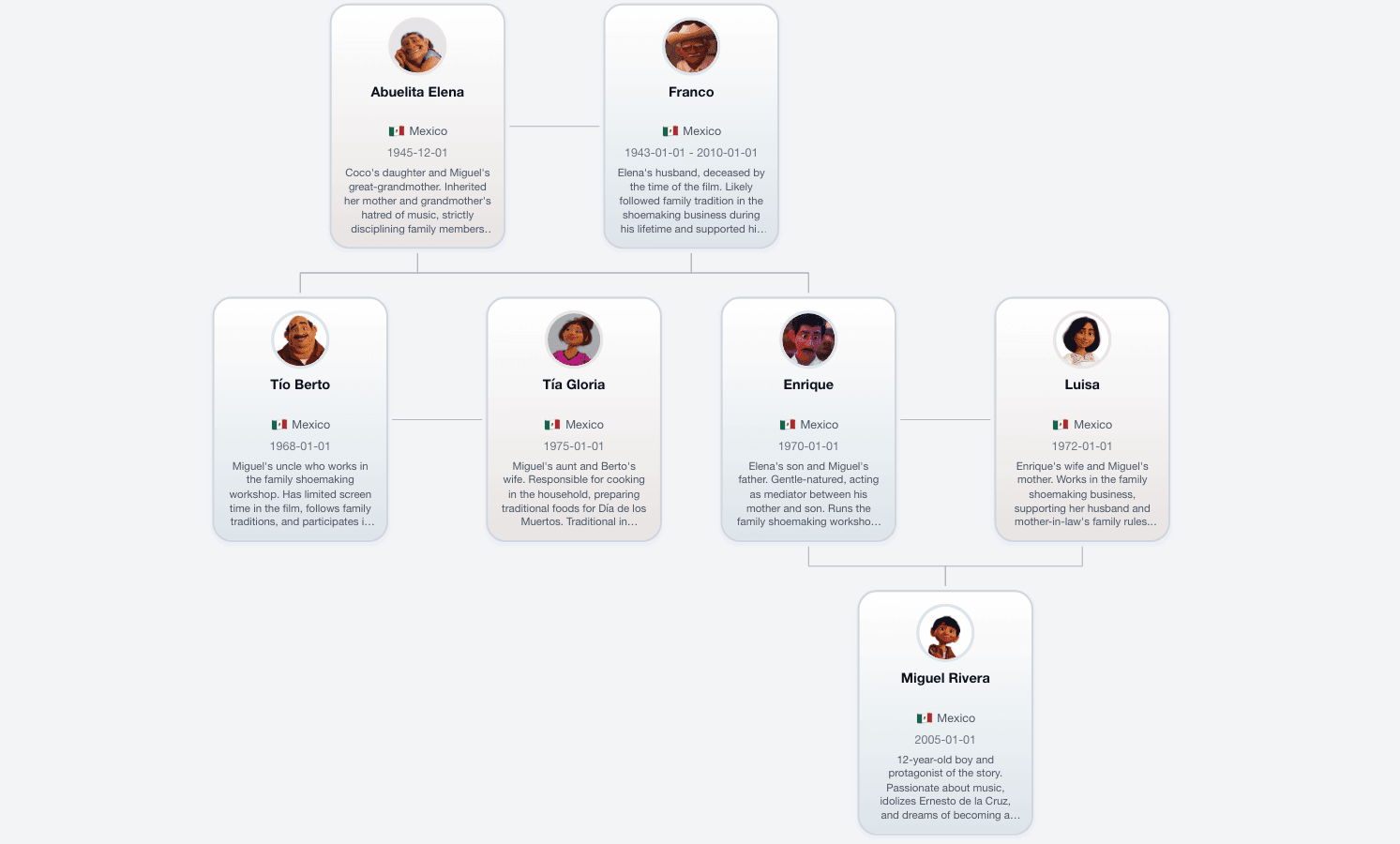
Core Capabilities
Automated Layouts
This automated generation engine instantly structures complex ancestry branches, eliminating the tedious manual canvas positioning process.
High-Res Exports
Download your finished generational lineage map as high-resolution image files ready for professional canvas printing and digital archiving.
Zero Friction Access
Access this powerful family tree maker free immediately, bypassing tedious account registrations and hidden subscription paywalls completely.
FAQ
Tutorials & Tips
How to make a family tree in Excel or Google Sheets?
+
While you can create a family tree in Excel by manually inserting shapes and lines, it is time-consuming and difficult to format. A faster alternative is to use Family Tree Maker. Our automatic family tree generator instantly arranges your data into a professional chart. You can then export it as a PNG image and simply paste it into your Excel spreadsheet.
How do you make a family tree on Word or Google Docs?
+
To make a family tree in Word, you typically use the "SmartArt" hierarchy tool. However, these templates are rigid and hard to customize. For a flexible, auto-layout experience, create your tree on Family Tree Maker for free. Once generated, download your high-resolution family tree image and insert it directly into your Word document or Google Doc for school projects.
How to make a family tree in PowerPoint?
+
PowerPoint is great for presentations, but drawing connection lines manually can be messy. The best way is to generate your lineage chart using an online family tree maker like ours. We handle the layout automatically. You just type names, download the transparent PNG, and drop it onto your PowerPoint slide for a professional look.
About Family Tree Maker
Is Family Tree Maker really free?
+
Yes, Family Tree Maker is 100% free to use. There are no hidden fees, watermarks, or premium subscriptions. You get full access to our automatic layout features and high-quality image downloads (PNG/JPG) without ever pulling out a credit card.
Do I need to create an account or download software?
+
No account and no download required. We are a web-based online family tree maker. You can start building your ancestry chart instantly in your browser. Since there is no login, we respect your privacy and maximize convenience.
How do I export and print my family tree?
+
Once your tree is auto-generated, simply click the "Export" button. You can download your chart as a JPG or PNG file. These formats are perfect for sharing on social media or printing at home. For large printable family trees, we recommend the high-resolution PNG option.
Does my data save automatically if I close the browser?
+
Your family tree data is saved locally in your browser's cache. This means when you accidentally close the tab, your work will be there when you return (as long as you don't clear your browser history/cache). Since we require no login, we recommend downloading your chart image frequently to keep a permanent copy.